

Technology continues to evolve at a rapid pace, offering innovative solutions for hobbyists, engineers, and professionals alike. Whether you’re into custom input devices, flight simulation, environmental monitoring, or precise data acquisition, there’s a tool tailored to your needs. In this article, we’ll dive deep into four powerful technologies: the PoKeys57E, an advanced input/output device for custom controls; RC simulator interfaces, essential for realistic flight and driving simulations; Raspberry Pi temperature loggers, versatile tools for environmental monitoring; and DAQ (Data Acquisition) devices, the backbone of precision measurement in industrial and scientific applications.
Each of these tools serves a unique purpose, yet they all share a common thread—empowering users to collect data, automate processes, and enhance interactivity in their projects. By the end of this article, you’ll have a clear understanding of how these devices work, their key features, and practical applications.
Let’s begin by exploring each of these technologies in detail, starting with the PoKeys57E—a versatile tool for custom input and output configurations.
What Is the PoKeys57E and How Can It Be Used?
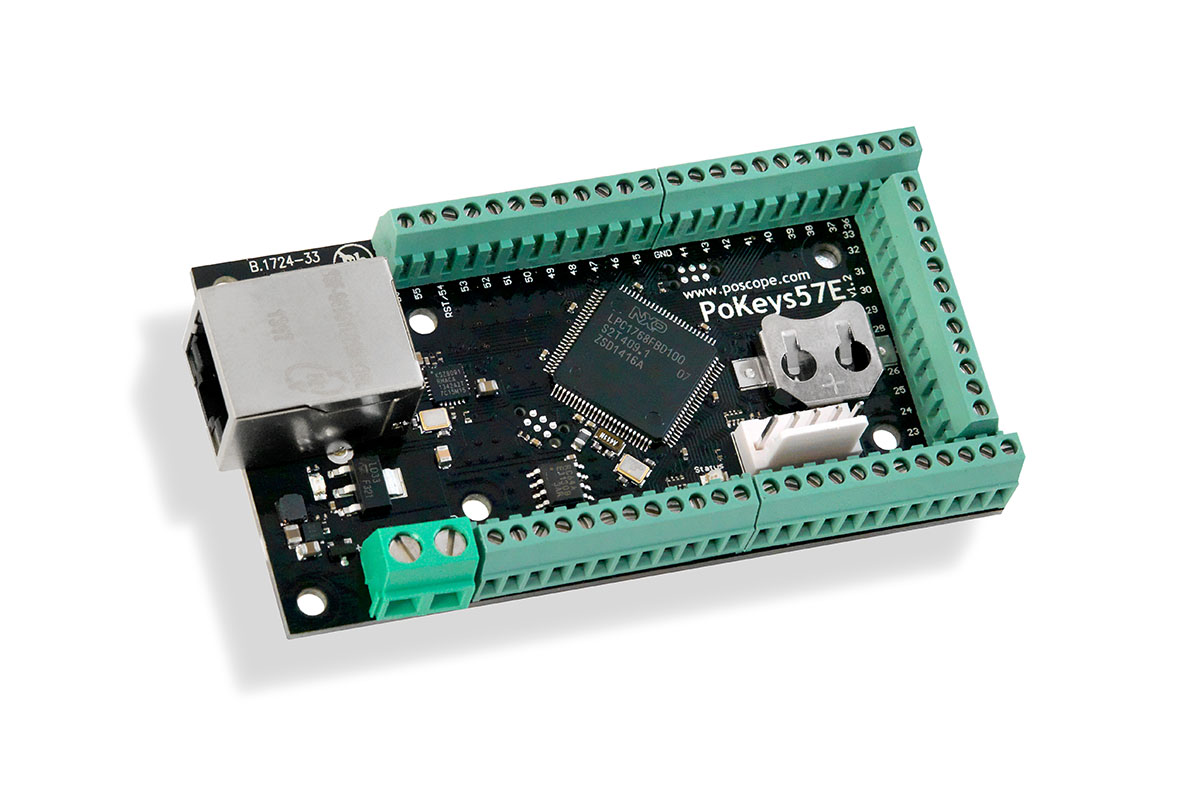
The PoKeys57E is a versatile USB-based input/output (I/O) device designed for custom control applications, automation, and interfacing with various electronic systems. Developed by PoLabs, this compact yet powerful tool is widely used in home automation, robotics, flight simulators, and industrial control systems. But what exactly makes the PoKeys57E stand out, and how can users leverage its capabilities?
Key Features of the PoKeys57E
The PoKeys57E offers a range of features that make it ideal for both hobbyists and professionals:
- Multiple I/O Options: It includes 57 programmable I/O pins, supporting digital inputs/outputs, analog inputs, PWM outputs, and encoder inputs. This flexibility allows it to interface with sensors, buttons, LEDs, motors, and more.
- USB and Ethernet Connectivity: The device can function as a USB HID (Human Interface Device) or communicate over Ethernet, making it suitable for remote control applications.
- Built-in Keyboard and Joystick Emulation: The PoKeys57E can emulate keyboard presses and joystick movements, making it perfect for custom controllers in flight simulators or gaming setups.
- Pulse Generator and Frequency Meter: With hardware-based PWM and frequency measurement, it can precisely control motors or measure signal frequencies.
- Easy Configuration via Software: The PoKeys57E is configured using the PoKeys configuration tool, which provides an intuitive interface for setting up pins, macros, and communication protocols.
Practical Applications of the PoKeys57E
Custom Flight Simulator Controls
One of the most popular uses of the PoKeys57E is in DIY flight simulator cockpits. By connecting switches, rotary encoders, and buttons to the device, users can create fully customized control panels that interface seamlessly with simulation software like X-Plane or Microsoft Flight Simulator. The keyboard and joystick emulation ensure compatibility without requiring additional drivers.
Home Automation and Robotics
The PoKeys57E can serve as the brain of a home automation system, controlling lights, relays, and sensors. Its analog inputs allow for environment monitoring (e.g., temperature or light levels), while its digital outputs can trigger actuators. In robotics, it can manage motor controllers, read encoder feedback, and process sensor data.
Industrial Control and Prototyping
For small-scale industrial applications, the PoKeys57E provides a cost-effective alternative to PLCs (Programmable Logic Controllers). It can automate machinery, log data, and interface with DAQ (Data Acquisition) devices for real-time monitoring. Engineers also use it for rapid prototyping due to its plug-and-play functionality.
Getting Started with the PoKeys57E
Setting up the PoKeys57E is straightforward:
- Connect the Device: Plug it into a PC via USB or connect it to a network via Ethernet.
- Install the Configuration Software: Download and install the PoKeys application from PoLabs’ website.
- Configure I/O Pins: Assign functions to each pin (e.g., button input, PWM output).
- Integrate with External Software: Use its virtual COM port or HID mode to communicate with other programs like LabVIEW or Python scripts.
The PoKeys57E is a powerful yet user-friendly tool that bridges the gap between custom electronics and software control. Whether you’re building a flight simulator cockpit, automating your home, or developing a robotic prototype, its versatile I/O options and easy configurability make it an excellent choice. By integrating it with other systems like DAQ devices or Raspberry Pi temperature loggers, users can create sophisticated, responsive projects with minimal hassle.
In the next chapter, we’ll explore RC simulator interfaces—essential tools for realistic drone and flight training.
What Are RC Simulator Interfaces and Why Are They Essential for Training?
Remote control (RC) simulator interfaces bridge the gap between virtual training environments and real-world piloting, offering an invaluable tool for drone enthusiasts, aspiring pilots, and seasoned RC hobbyists. These devices allow users to connect their actual transmitters to flight simulation software, replicating real flight dynamics with remarkable accuracy. But how exactly do they work, and what benefits do they provide over traditional practice methods?
The Role of RC Simulator Interfaces in Skill Development
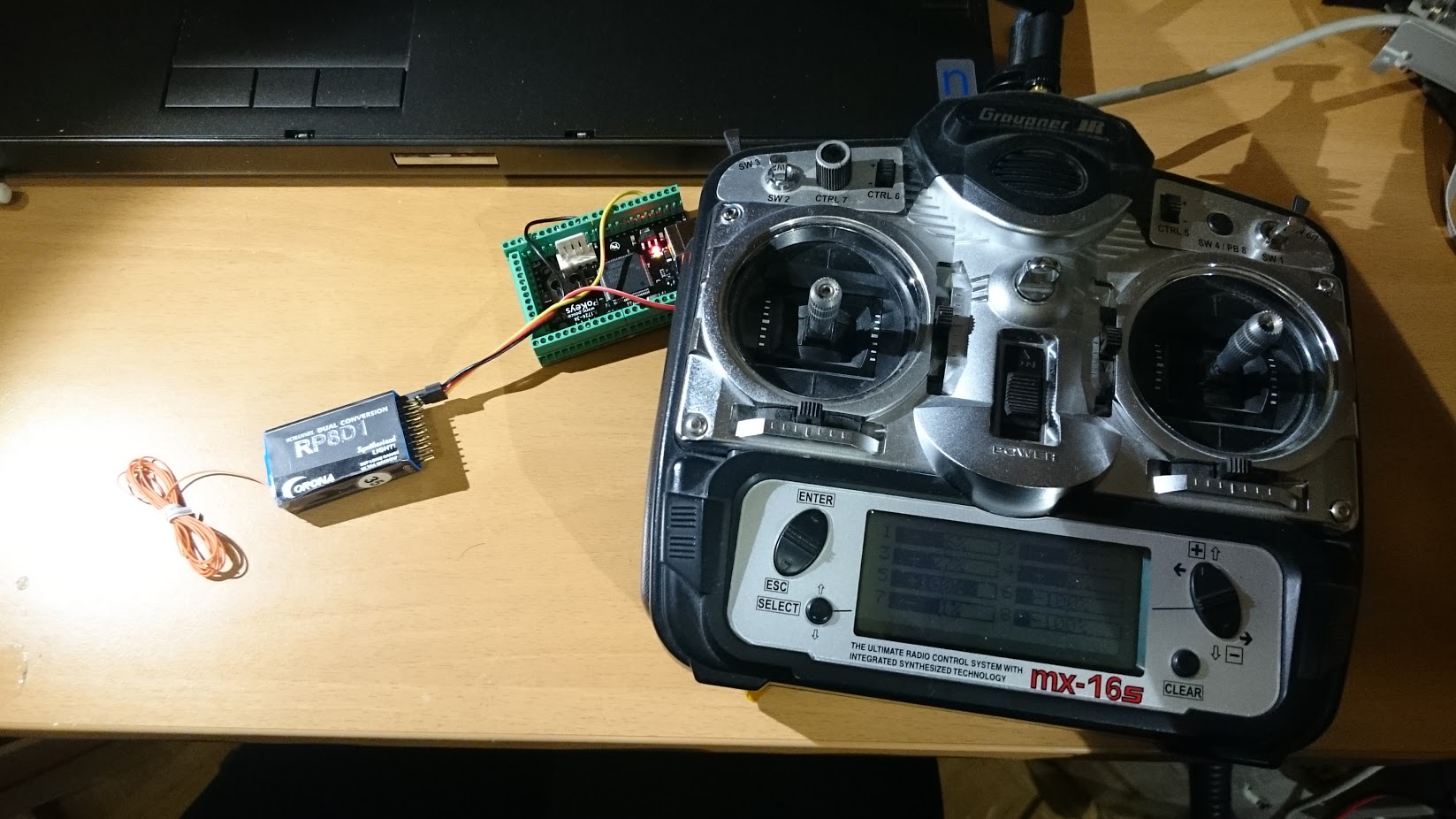
Unlike gaming controllers, RC simulator interfaces are designed to work with genuine RC transmitters, ensuring muscle memory and control inputs translate directly from simulation to reality. When a pilot practices maneuvers in a simulated environment using their own transmitter, they develop precise stick control, reaction time, and spatial awareness—skills that are critical when flying actual aircraft.
Most RC simulator interfaces function as USB adapters that interpret signals from the transmitter and relay them to flight simulators like RealFlight, PhoenixRC, or DRL Simulator. Some advanced models even provide force feedback, simulating turbulence, gusts, and crashes to enhance realism. By training with these systems, pilots can safely experiment with risky maneuvers, recover from stalls, and refine their aerobatic techniques without the fear of damaging expensive equipment.
Key Components and Compatibility Considerations
A well-designed RC simulator interface must accurately translate transmitter inputs into digital signals that simulation software can process. Many modern transmitters support direct USB connectivity, eliminating the need for an external interface. However, older or custom-built systems often require an adapter.
One critical factor is latency—the delay between a pilot’s input and the on-screen response. High-quality interfaces minimize lag, ensuring smooth and realistic flight behavior. Additionally, compatibility with different transmitter protocols (PPM, PWM, SBUS, etc.) is essential for supporting a wide range of RC systems. Some interfaces even allow for wireless connections, though wired setups are generally preferred for their reliability.
Practical Applications Beyond Basic Training
While RC simulator interfaces are primarily used for pilot training, their applications extend further. Drone racing teams use them to test new flight controllers and tune PID settings before applying them to physical quadcopters. Engineers developing autonomous drones leverage simulations to validate navigation algorithms in virtual environments before real-world deployment.
Moreover, these interfaces are invaluable for accessibility. Pilots with physical limitations can customize control schemes to suit their needs, ensuring everyone has the opportunity to enjoy RC flying. Some simulators even integrate with DAQ devices to log flight data, allowing for detailed performance analysis.
Choosing the Right RC Simulator Interface
When selecting an RC simulator interface, users should consider:
- Transmitter compatibility – Does it support the user’s specific radio system?
- Software integration – Is it compatible with preferred simulation programs?
- Latency and responsiveness – Does it provide real-time feedback without noticeable delay?
- Additional features – Some interfaces include programmable buttons or telemetry feedback for enhanced realism.
For those already using a PoKeys57E, it’s possible to build a custom simulator interface by mapping transmitter inputs to virtual joystick axes, though dedicated adapters typically offer better plug-and-play performance.
RC simulator interfaces are more than just gaming accessories—they are sophisticated training tools that significantly reduce the learning curve for RC pilots. By providing a risk-free environment to practice and experiment, they help users develop confidence and precision before transitioning to real aircraft. Whether for hobbyists, competitive racers, or engineers, these interfaces play a crucial role in modern RC aviation.
Next, we’ll examine Raspberry Pi temperature loggers—an accessible and powerful solution for environmental monitoring and data collection.
How Can a Raspberry Pi Temperature Logger Enhance Your Monitoring System?
In an era where data drives decisions, having precise environmental monitoring is crucial—whether for a home greenhouse, a server room, or an industrial facility. A Raspberry Pi temperature logger offers a flexible, cost-effective way to track thermal conditions over time, with the added benefit of customization and remote access. But how does it work, and what makes it superior to off-the-shelf solutions?
The Advantages of a Raspberry Pi-Based Temperature Logger
Unlike prebuilt temperature monitors, a Raspberry Pi temperature logger leverages the full programmability of a single-board computer, allowing users to tailor the system to their exact needs. By connecting sensors such as the DS18B20 (a waterproof digital thermometer) or DHT22 (which measures temperature and humidity), the Pi can record readings at set intervals, store data locally or in the cloud, and even trigger alerts when thresholds are exceeded.
One of the biggest strengths of this setup is its scalability. A single Raspberry Pi can support multiple sensors, monitoring different zones simultaneously. For example, a mushroom farm might track temperature and humidity across several growing chambers, while a data center could monitor server rack hotspots. The Pi’s GPIO pins make it easy to interface with sensors, and its networking capabilities enable real-time remote monitoring via a web dashboard or mobile app.
Building a Reliable Temperature Logging System
The core of a Raspberry Pi temperature logger lies in its software. Python scripts are commonly used to read sensor data, with libraries like RPi.GPIO and Adafruit_DHT simplifying communication with connected devices. For long-term logging, databases such as SQLite or InfluxDB store measurements efficiently, while visualization tools like Grafana turn raw numbers into intuitive graphs.
Power management is another consideration. Since many monitoring applications run 24/7, the Pi should be connected to a stable power source, preferably with a UPS (Uninterruptible Power Supply) backup to prevent data loss during outages. For remote deployments, a PoE (Power over Ethernet) HAT can simplify wiring by delivering both power and data through a single cable.
Practical Applications Beyond Basic Thermometry
While tracking temperature is the most obvious use case, a Raspberry Pi temperature logger can be part of a broader environmental monitoring system. By integrating additional sensors—such as air quality detectors or barometric pressure modules—users can correlate temperature changes with other variables. In agriculture, for instance, this data helps optimize growing conditions, while in industrial settings, it ensures machinery operates within safe thermal limits.
Another advanced application is predictive maintenance. By logging temperature trends in mechanical systems (e.g., motors or transformers), anomalies can be detected early, preventing costly failures. When paired with a DAQ device, the Pi can even analyze vibration or current draw alongside thermal data, providing a comprehensive health assessment.
Comparing Raspberry Pi Loggers to Commercial Alternatives
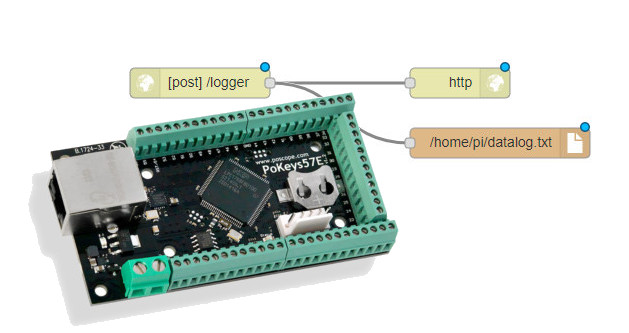
Commercial temperature loggers are often simpler to deploy but lack flexibility. They may offer limited storage, proprietary software, or no option for customization. A Raspberry Pi temperature logger, in contrast, is fully open-ended. Users can choose their sensors, set their own sampling rates, and integrate with third-party platforms like Home Assistant or Node-RED for automation.
Cost is another differentiator. While industrial-grade DAQ systems can run into thousands of dollars, a Pi-based solution with similar capabilities might cost under $100, including sensors. For hobbyists and small businesses, this affordability is a game-changer.
A Raspberry Pi temperature logger democratizes environmental monitoring, putting powerful data collection tools within reach of DIY enthusiasts and professionals alike. Its adaptability allows it to evolve alongside changing needs, whether that means adding more sensors, improving data analysis, or integrating with other systems like DAQ devices for industrial-grade precision.
In the next chapter, we’ll delve into DAQ devices—specialized hardware engineered for high-accuracy measurements in scientific and industrial environments.
What Are DAQ Devices and Why Are They Critical for Precision Measurement?
In laboratories, industrial facilities, and research environments, accurate data acquisition can mean the difference between success and failure—or even safety and catastrophe. DAQ (Data Acquisition) devices serve as the backbone of high-precision measurement, capturing real-world signals like voltage, temperature, pressure, and vibration, then converting them into digital data for analysis. But what sets them apart from consumer-grade sensors, and how do they handle demanding applications where reliability is non-negotiable?
The Core Functionality of DAQ Devices
Unlike simple sensors or microcontroller-based loggers, DAQ devices are engineered for high-speed, high-resolution sampling with minimal noise interference. They act as a bridge between analog signals from the physical world and digital systems that process, store, and visualize data. Key components include:
- Signal Conditioning – Raw sensor outputs (e.g., millivolt signals from thermocouples) are amplified, filtered, and isolated to ensure accuracy.
- Analog-to-Digital Conversion (ADC) – High-resolution ADCs (16-bit to 24-bit) capture minute signal variations that cheaper devices might miss.
- Synchronization – In multi-channel setups, DAQ devices use precise timing (sometimes down to nanoseconds) to correlate measurements across sensors.
This level of precision makes them indispensable in fields like aerospace (testing aircraft components), automotive (engine diagnostics), and medical research (monitoring physiological signals).
Types of DAQ Systems and Their Applications
DAQ hardware comes in multiple form factors, each suited to specific use cases:
- Modular DAQ (e.g., NI CompactDAQ) – Uses interchangeable modules for different sensor types (strain gauges, RTDs, accelerometers). Ideal for lab and industrial automation.
- USB DAQ Devices – Portable, plug-and-play units often used for fieldwork or temporary installations.
- Networked DAQ – Ethernet- or Wi-Fi-enabled systems for distributed monitoring across large facilities.
For example, in structural health monitoring, a DAQ device might record strain and vibration data from bridges, detecting microfractures long before they become visible. In renewable energy, DAQs log solar panel output and wind turbine performance, optimizing maintenance schedules.
Integration with Software and Advanced Analytics
Hardware is only half the equation—DAQ devices rely on software for full functionality. Platforms like LabVIEW, MATLAB, or Python-based libraries (e.g., PyDAQmx) configure the hardware, process streams of data, and apply algorithms for:
- Real-time FFT (Fast Fourier Transform) – Identifying frequency patterns in vibrations or electrical noise.
- Statistical Process Control (SPC) – Detecting deviations in manufacturing quality.
- Edge Computing – Some modern DAQs preprocess data locally to reduce latency before sending it to the cloud.
When paired with a Raspberry Pi temperature logger, DAQ systems can expand from simple monitoring to predictive analytics. For instance, a factory might combine temperature, pressure, and motor current data to forecast equipment failures.
Why DAQ Devices Outperform Consumer Alternatives
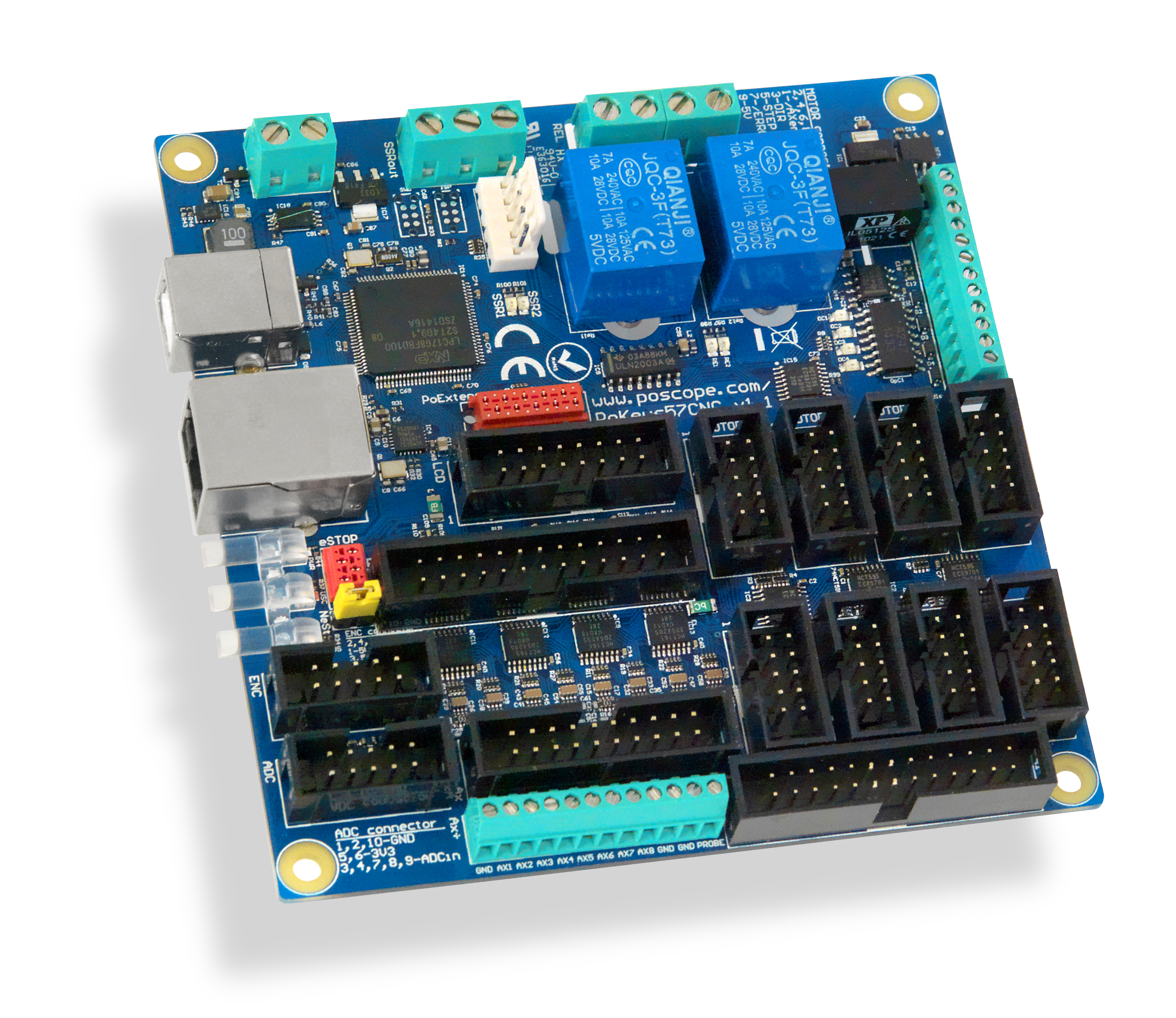
While hobbyist tools like Arduino or PoKeys57E suffice for basic tasks, they lack the sampling rates, noise immunity, and calibration traceability of professional DAQ systems. Consider the differences:
| Feature | Consumer-Grade (e.g., Arduino) | Industrial DAQ |
|---|---|---|
| Sampling Rate | Up to 10 kS/s | 100 kS/s to 1 MS/s+ |
| Resolution | 10–12 bits | 16–24 bits |
| Accuracy | ±1–2% | ±0.01% with calibration |
| Channel Isolation | Rare | Standard (prevents signal bleed) |
For critical measurements—such as pharmaceutical batch validation or crash testing—these margins matter.
Choosing the Right DAQ System
Selecting a DAQ device depends on:
Signal Types – Voltage? Current? Strain? Ensure compatibility with sensors.
Speed vs. Resolution – High-speed capture (e.g., shockwaves) requires tradeoffs in bit depth.
Environment – Ruggedized DAQs withstand extreme temperatures or EMI-heavy industrial settings.
Scalability – Can the system grow with additional sensors or channels?
For budget-conscious users, USB DAQs like the NI USB-6000 offer a middle ground, while enterprises might invest in PXIe chassis for maximum expandability.
DAQ devices represent the gold standard in measurement accuracy, enabling innovations from clean energy to biomedical engineering. While simpler tools like Raspberry Pi loggers or PoKeys57E work for lightweight tasks, DAQs excel where precision is paramount. As IoT and Industry 4.0 advance, these systems will only grow more vital—bridging the gap between raw data and actionable insights.
In the final chapter, we’ll synthesize how these technologies interconnect, creating synergies from hobbyist projects to industrial automation.
Understanding Stepper Motor Drivers and Their Applications
Mastering Precision: Exploring CNC Controllers, DIY Orchidariums, Flat Cable Cutters, and Flight Simulator Interfaces
How Stepper Motor Drivers Work and Why the PoStep60-256 Stands Out
Bridging Hobbyist Tools and Industrial Systems for Smarter Solutions
Throughout this exploration of PoKeys57E, RC simulator interfaces, Raspberry Pi temperature loggers, and DAQ devices, one theme stands out: the power of adaptable technology. What begins as a hobbyist’s curiosity can evolve into a professional-grade system with the right tools and integration. Each of these devices excels in its niche, but their true potential emerges when they work together.
From Custom Controls to Precision Measurement
The PoKeys57E demonstrates how accessible programmable I/O can be, enabling custom controllers for simulators or home automation. When paired with an RC simulator interface, it bridges the gap between virtual training and real-world piloting, reinforcing muscle memory and control precision. Meanwhile, the Raspberry Pi temperature logger proves that affordable hardware can handle serious data collection—especially when enhanced with DAQ devices for industrial-grade accuracy.
Synergies Across Technologies
Imagine a smart greenhouse where:
- A PoKeys57E manages relay-controlled grow lights and fans.
- A Raspberry Pi logs temperature, humidity, and soil moisture.
- A DAQ device monitors CO₂ levels with lab-grade precision.
- An RC simulator interface repurposes a drone transmitter for automated vent adjustments.
This fusion of tools illustrates how modular systems can scale from DIY experiments to professional applications.
Choosing the Right Tool for the Task
- For interactivity & control: The PoKeys57E offers unmatched flexibility.
- For realistic simulation training: Dedicated RC simulator interfaces are indispensable.
- For scalable environmental monitoring: A Raspberry Pi + sensors strikes a balance of cost and capability.
- For mission-critical measurements: DAQ devices deliver the precision that cheaper alternatives cannot.
As technology democratizes, the line between hobbyist and professional tools blurs. A Raspberry Pi can now perform tasks that once required expensive DAQs, while devices like the PoKeys57E bring industrial control concepts to makers. Yet, when reliability is non-negotiable, purpose-built systems like DAQ devices remain irreplaceable.
The Future of Integrated Systems
Advancements in IoT, edge computing, and open-source software are making these integrations smoother. Soon, we might see:
- AI-driven predictive maintenance combining DAQ data with Raspberry Pi edge processing.
- Plug-and-play RC simulators that auto-calibrate using PoKeys57E macros.
- Decentralized DAQ networks where multiple Pis aggregate data for industrial monitoring.
Whether you’re a tinkerer, engineer, or entrepreneur, these tools empower you to build smarter, more responsive systems—one sensor, one interface, one precise measurement at a time.
Final Thought: The best solutions aren’t just about hardware; they’re about creatively combining technologies to solve real problems. What will you build next?